Use case · QA teams
Run a flow. Get a screenshot of every step.
Save a test as a flow, a saved list of steps. Silan runs it on a real device every day and tells you only when it fails.
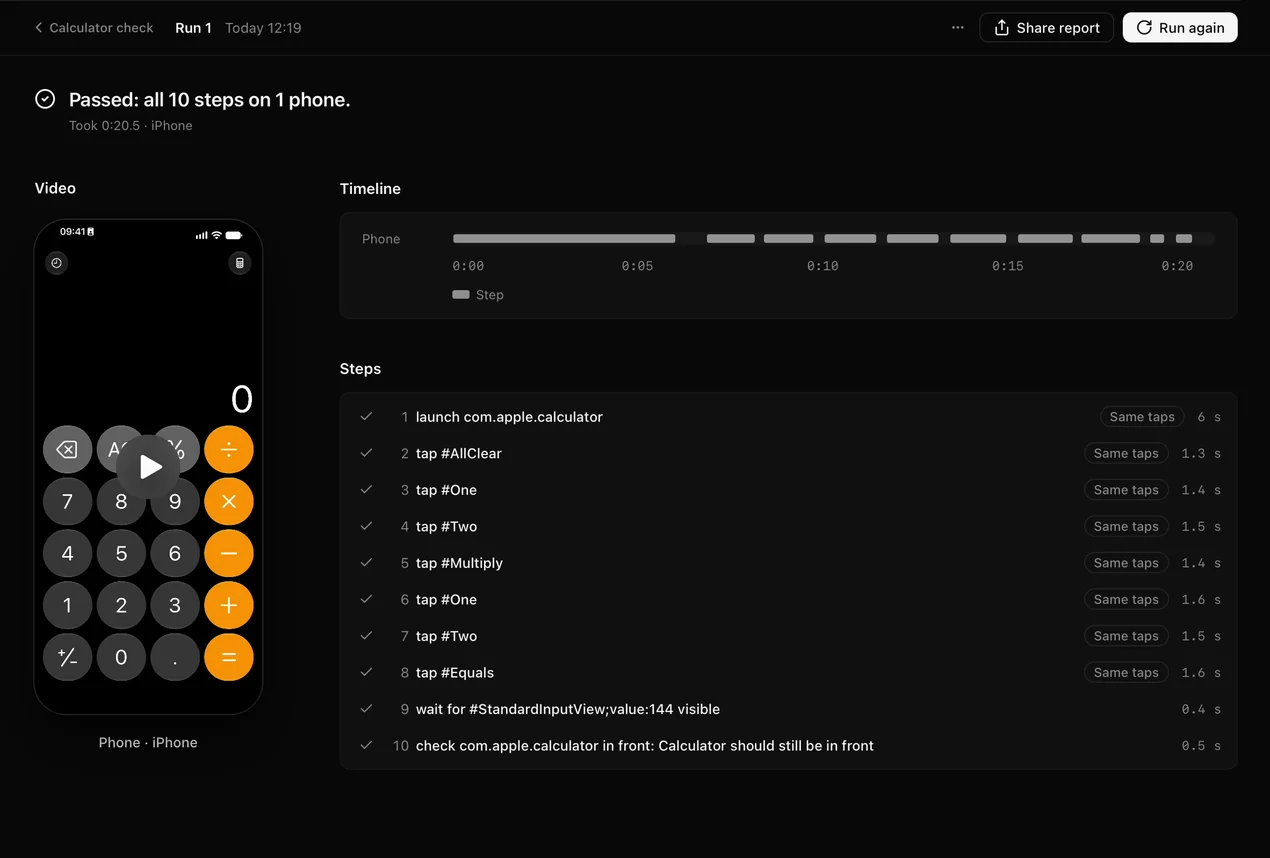
Calculator checkRun
Run 1 · Today 12:19 · 0:20.5
- 1launch com.apple.calculator0:00
- 2tap #AllClear0:06
- 3tap #One0:08
- 4tap #Two0:10
- 5tap #Multiply0:11
- 6tap #One0:13
- 7tap #Two0:15
- 8tap #Equals0:16
- 9wait for #StandardInputView;value:144 visible0:18
- 10check com.apple.calculator in front: Calculator should still be in front0:19
Passed: all 10 steps on 1 phone.
ScreenElementsLogInfo
The steps
01The task
1 Open Calculator 2 Tap #AllClear 3 Tap #One 4 Tap #Two 5 Tap #Multiply 6 Tap #One 7 Tap #Two 8 Tap #Equals 9 Wait for #StandardInputView;value:144 visible 10 Check com.apple.calculator in front: Calculator should still be in front
02What Silan does
Silan runs the ten steps in the Calculator app on the iPhone. Exact: the same taps each time, with no AI cost.
03The result
A report with a screenshot before each step and a video of the phone. Passed: all 10 steps on 1 phone.
The facts
- Who
- QA teams
- Devices
- iPhone
- Features used
- Flows · Run reports
- Time taken
- 0:20.5 for 10 steps